Creating modern, responsive application interfaces often feels like a marathon. For many entrepreneurs and small teams, the barrier isn’t just the code—it’s the dozens of hours spent in Figma and the high cost of front-end development. Finding a way to bridge the gap between a vision and a functional, beautiful prototype without breaking the bank or the calendar is a constant struggle.
At Cloud Sultans, our mission is to help small and large businesses to better collaborate and achieve high productivity with their teams by maximizing the power of Google Workspace (formerly GSuite).
What is Google Stitch 3.0?
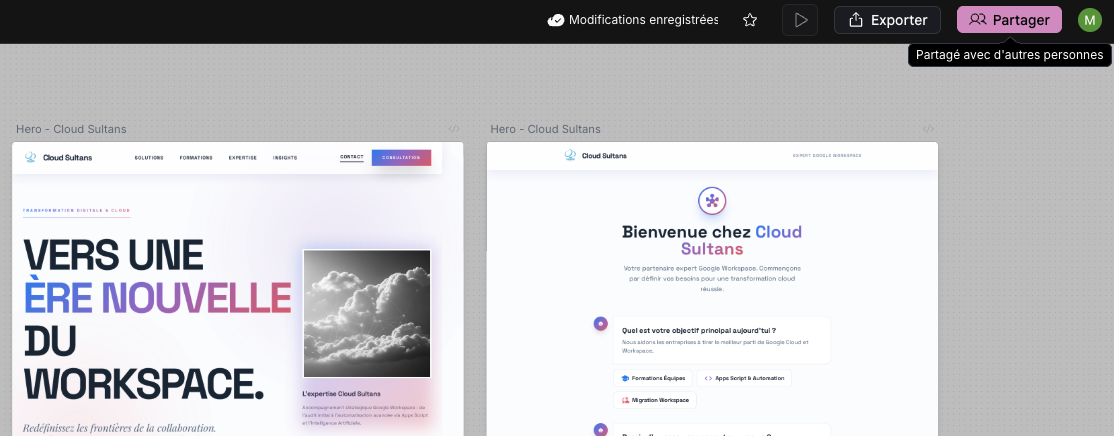
Google Stitch 3.0 is the latest evolution of Google’s AI-powered design agent. Unlike generic UI generators, Stitch 3.0 focuses on producing high-fidelity, production-ready interfaces that look like the work of a professional artisan. Whether you are a solo creator or part of a growing startup, this tool allows you to generate clean code and modern layouts from a simple text prompt or an image.
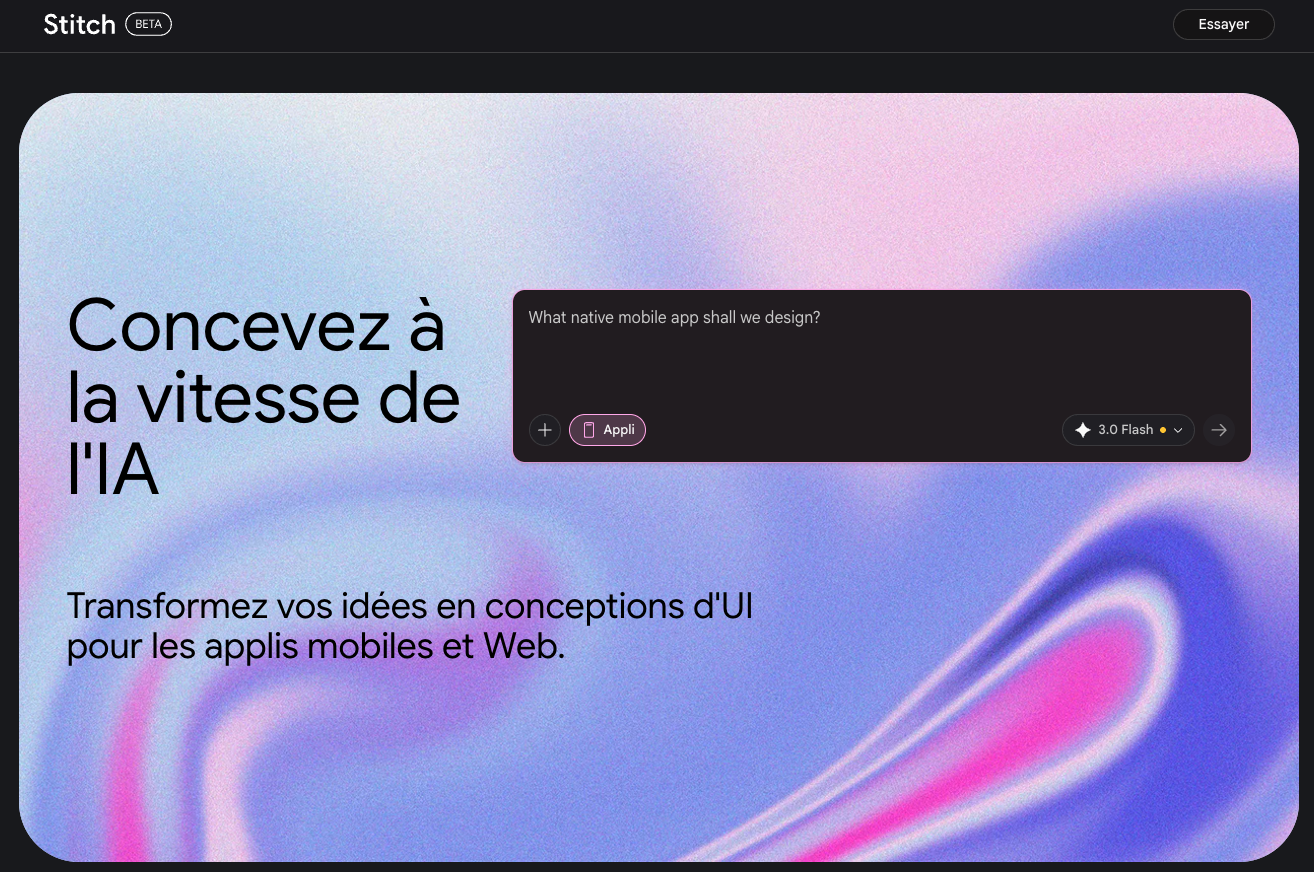
The best part? It is 100% free to use with a standard Google account, making professional-grade design accessible to everyone through the expertise of Cloud Sultans and Google’s innovative ecosystem.
Getting Started with the Interface
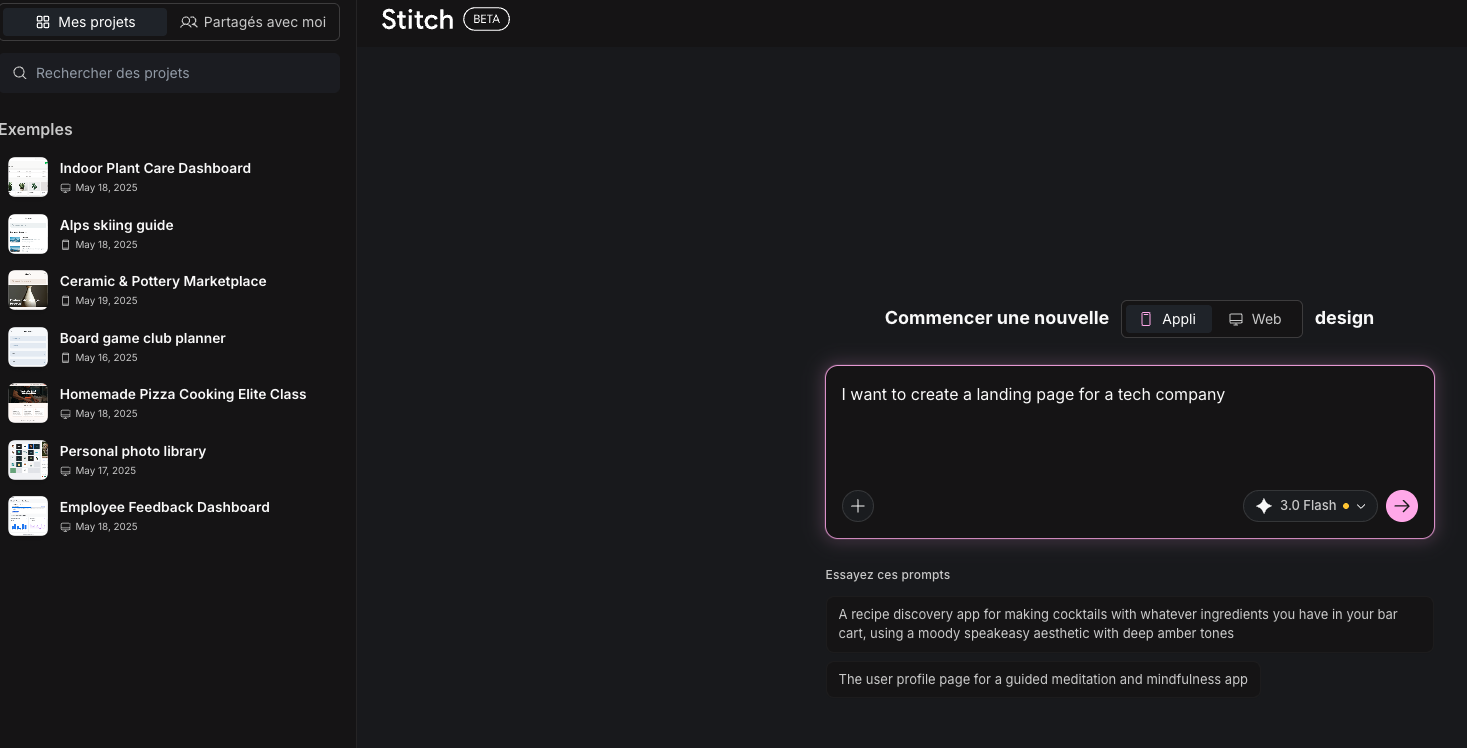
The first thing you’ll notice about Google Stitch 3.0 is its intuitive, user-friendly workspace. You have the flexibility to choose between Mobile and Web modes right from the start. The sidebar keeps a neat history of all your generations, featuring a search bar so you never lose track of a previous iteration.
Generating High-Fidelity Designs
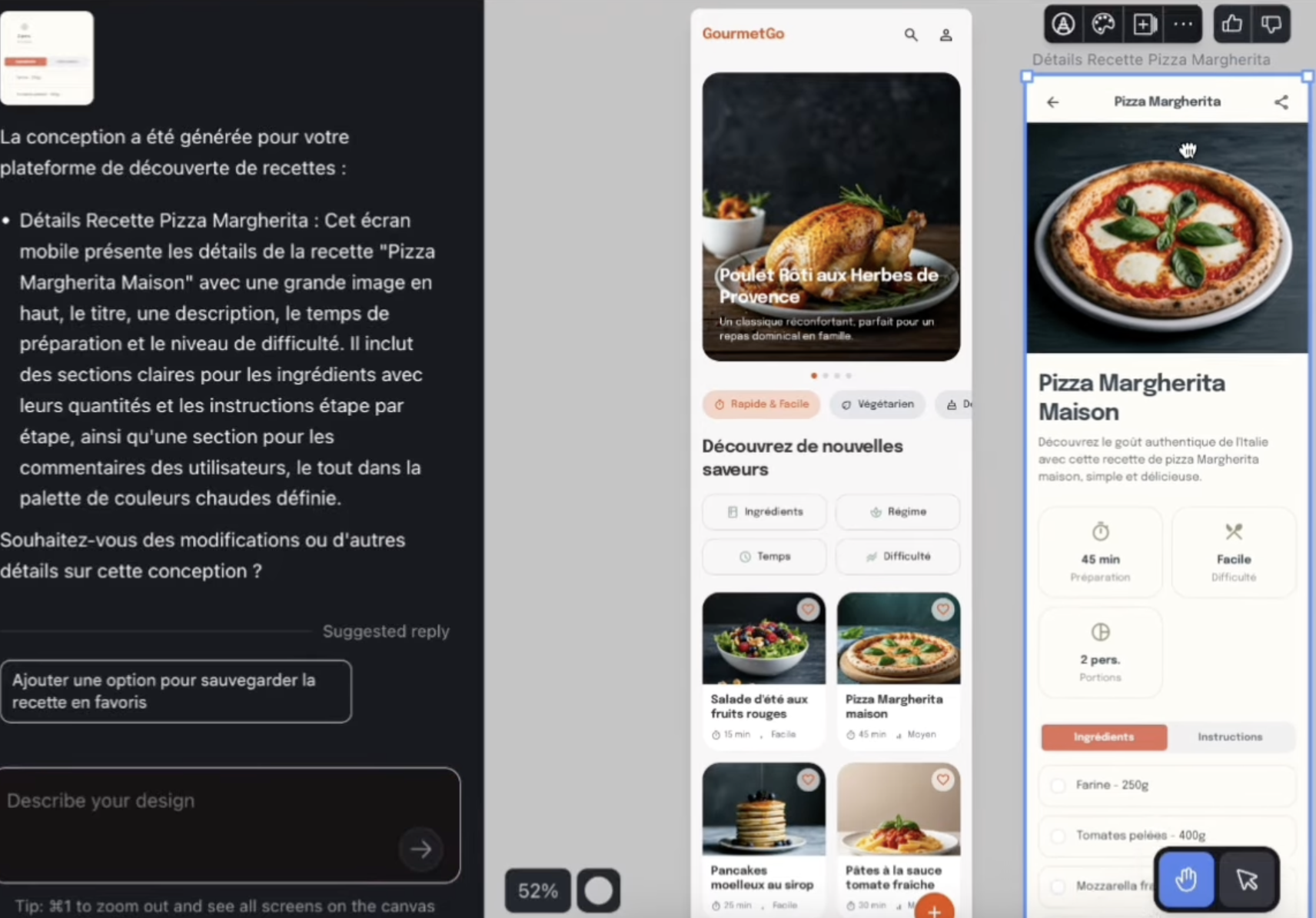
Stitch 3.0 excels when you provide detailed instructions. By describing specific color palettes and functional elements, the AI interprets your brand’s “vibe” with surprising accuracy. It considers typography, spacing, and visual hierarchy to ensure a professional result.
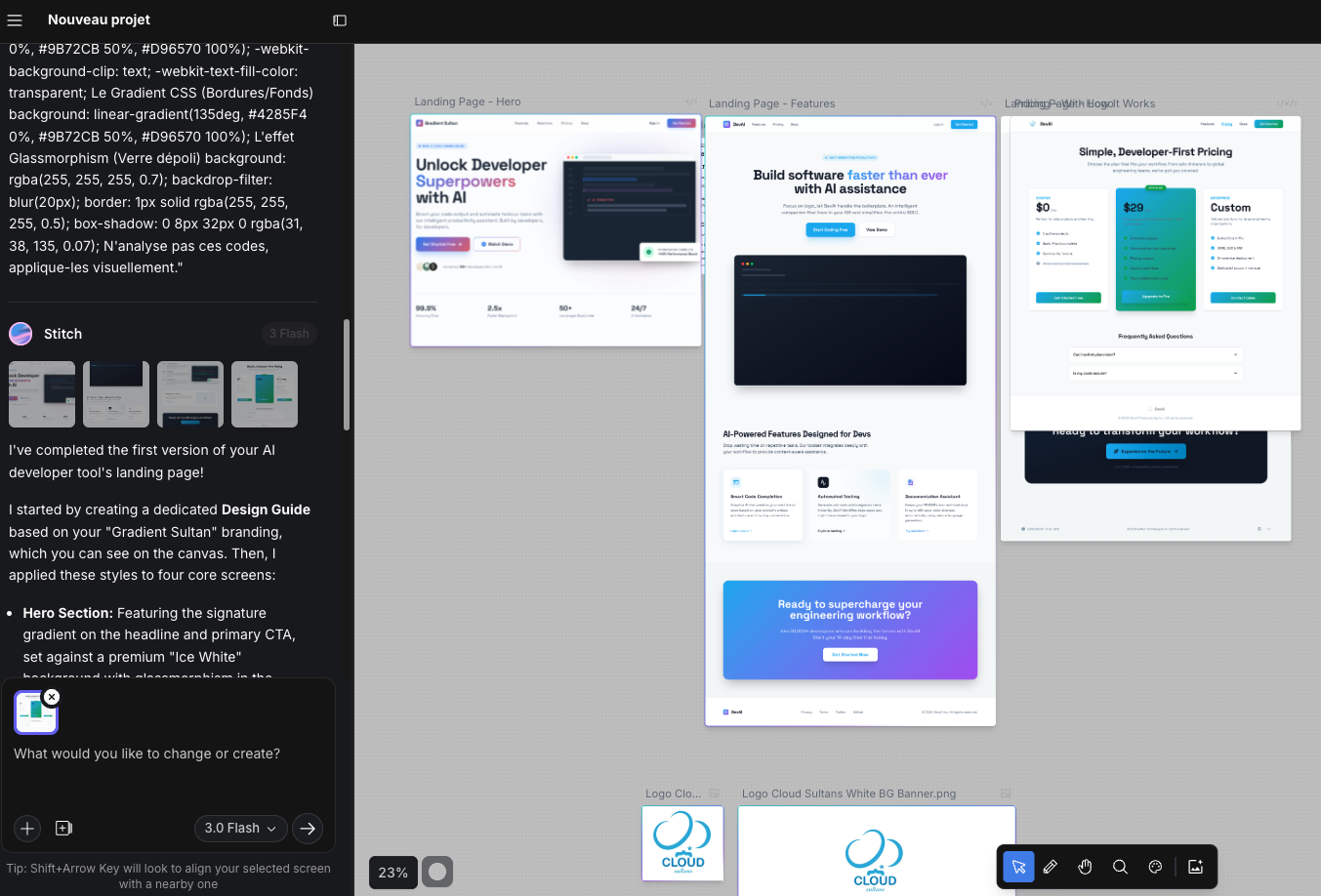
Building Seamless User Flows
One of the standout features of this update is the ability to build connected screens. You can visualize the entire user journey rather than just static, isolated pages, ensuring your team at Cloud Sultans stays perfectly aligned on the project vision.
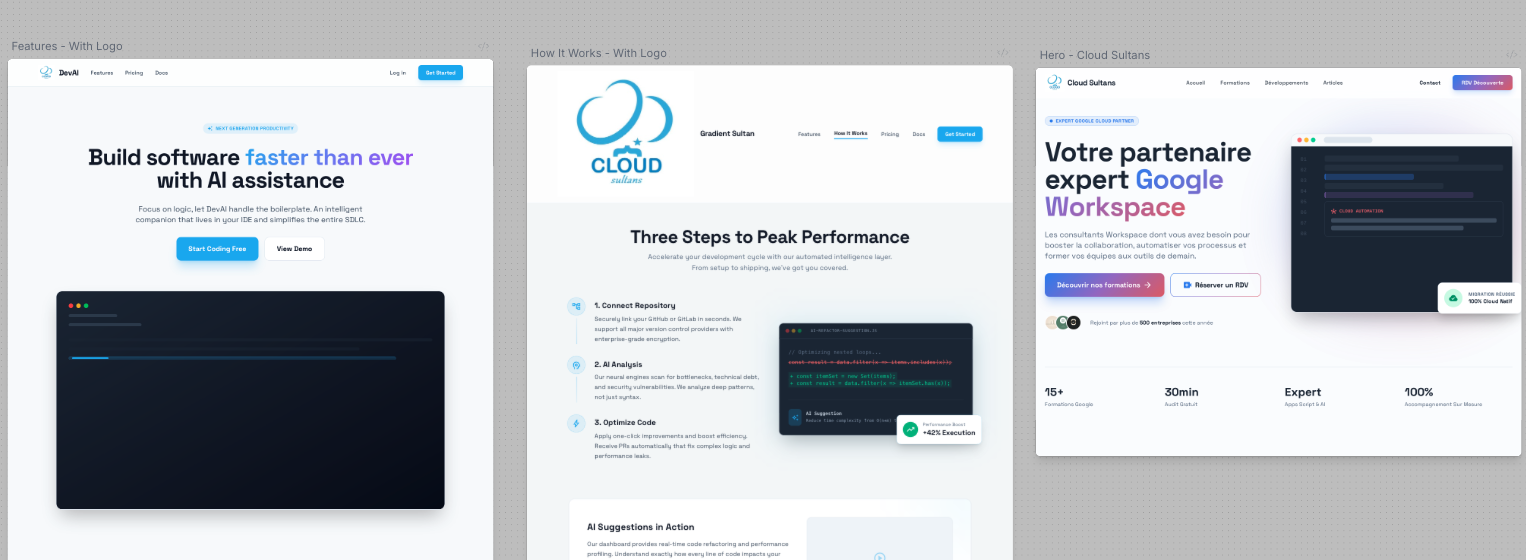
Advanced Iteration: Variants and Theme Customization
Innovation thrives on options. With the “Generate Multiple Options” feature, you can explore different artistic directions quickly. Once you find a style you like, use the Theme Adjuster to toggle between Light and Dark modes or swap primary colors across the entire project.
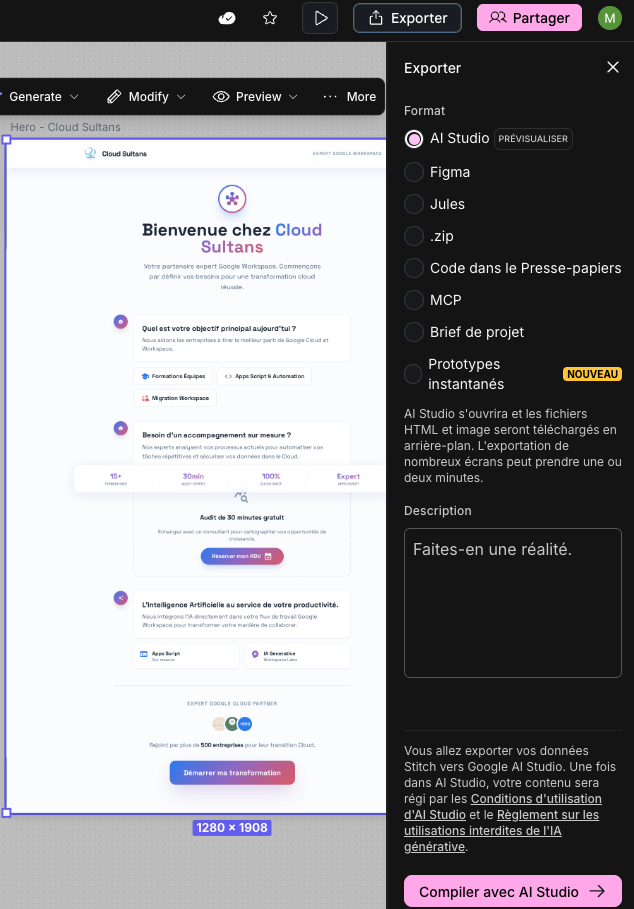
Bridging the Gap: From Design to Production
The true magic lies in its integration with the broader Google ecosystem. By exporting your generated HTML and moving it into Google AI Studio (specifically the App Builder), you can transform a static UI into a functional application in under 60 seconds.
Collaborating and Presenting Your Vision
Sharing your work is seamless. With a simple “Enable Sharing” button, you can generate a link for teammates or clients to review. Furthermore, by using Gemini, you can instantly generate professional product mockups, perfect for presentations in Google Slides.
Any questions, comments, or reactions about our article, we’re happy to hear that in the comment section below. We always love diving into healthy discussions. If you also feel that you haven’t been using Google Workspace at its best, reach us at Cloud Sultans : contact@cloudsultans.com. We offer free consultation or system audit to find you the best possible solution.